
Download Windows Media Format 9 Runtime – free codecs, secure audio playback for Windows
Overview of Windows Media Format 9 Runtime
Windows Media Format 9 Runtime files is a lightweight, free codec package created by Expstudio specifically for Windows‑based PCs. Designed to decode and play audio streams encoded with the Windows Media Audio (WMA) version 9 standard, this runtime is essential for users who need reliable playback of legacy media files without installing a full‑blown media player. Since its introduction to the catalog in 2011, the tool has amassed more than 114 620 installations worldwide, with a steady stream of daily downloads—29 new users just last week. Its small footprint makes it ideal for older machines running Windows 98 or earlier, and the English interface ensures a smooth experience for a global audience. The software falls under the Audio software category, sub‑category Codecs, and it is frequently used in regions such as Vietnam, Taiwan, the Province of China, and Japan. Updated on June 30 2011, version 1.0 remains compatible with legacy Windows environments, delivering a secure, no‑cost solution for anyone who still relies on WMA 9‑encoded audio files.
Key Features and Compatibility
- Native support for Windows Media Audio version 9 files.
- Minimal installation size—takes up far less storage than full media suites.
- Free of charge and no hidden fees.
- Fully compatible with Windows 98, Windows ME, and earlier Windows releases.
- English language interface for easy navigation.
- Secure runtime that does not require internet activation.
- Simple update mechanism via the official Expstudio website.
Compatibility is a cornerstone of the Windows Media Format 9 Runtime. The package has been tested on every Windows version from Windows 98 through Windows XP, ensuring that even the most dated systems can decode WMA 9 audio without performance penalties. Because the runtime is a set of DLLs rather than a full application, it integrates seamlessly with existing media players such as Windows Media Player, VLC, and other third‑party audio tools that rely on system codecs. This means you can continue using your favorite player while the runtime supplies the missing decoding layer. Moreover, the software’s lightweight design prevents it from hogging RAM or CPU cycles—critical for older machines that have limited resources. Users in regions with slower internet connections benefit from the tiny download size, which can be fetched quickly even on modest bandwidth.
Installation, Configuration & Daily Usage
Step‑by‑Step Installation Guide
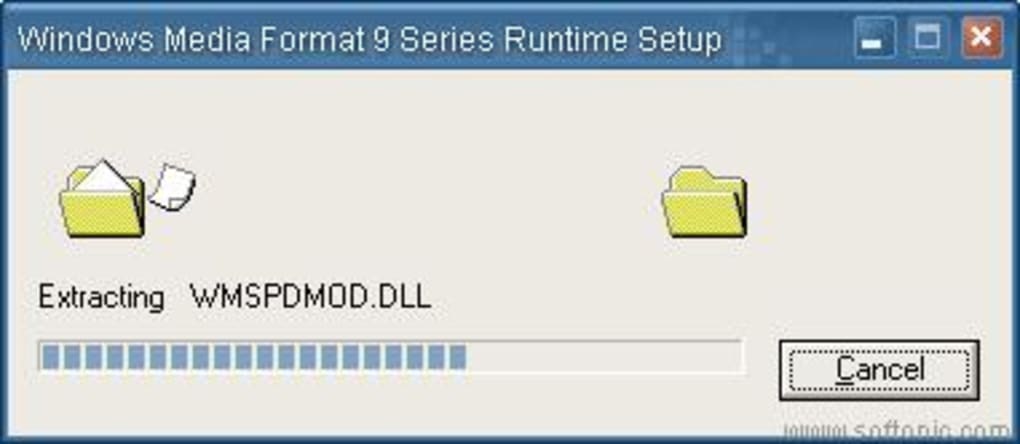
Installing Windows Media Format 9 Runtime is straightforward, even for users with limited technical expertise. First, download the installer from the official Expstudio link. The file is a compact .exe package of roughly 1 MB. Once the download completes, double‑click the installer to launch the wizard. Accept the End‑User License Agreement, then choose the default installation folder (the installer will suggest C:\Program Files\Windows Media Format 9 Runtime). Click “Install” and wait for the progress bar to finish—this typically takes less than a minute on legacy hardware. After installation, you’ll see a confirmation screen indicating that the codec files have been registered with the Windows operating system.
Configuration Tips for Optimal Playback
The runtime does not require any additional configuration; however, you can verify that the codecs are active by opening Windows Media Player and playing a WMA 9 file. If playback is smooth and the audio quality is intact, the codec is functioning correctly. For users who employ alternative players, ensure that the player’s codec search path includes the system directory where the runtime DLLs are installed (usually C:\Windows\System32). Some advanced users may wish to adjust the default sample rate or bit depth within their player’s audio settings, but these tweaks are optional and not required for basic operation.
Everyday Use Cases
Once installed, the runtime works silently in the background. Any application that requests a WMA 9 decoder will automatically call the newly registered codec. This makes it perfect for scenarios such as:
- Listening to archived audio lectures saved in WMA 9 format.
- Playing background music in legacy video games that ship with WMA audio tracks.
- Converting old WMA files to more modern formats using third‑party conversion tools.
- Ensuring corporate training videos that still use WMA 9 are viewable on older office PCs.
Because the runtime is free and does not require periodic license checks, it remains a reliable solution for both personal and professional environments that depend on legacy audio assets.
Pros, Cons, Frequently Asked Questions & Final Thoughts
Pros & Cons
- Pros:
- Completely free with no hidden costs.
- Extremely small footprint—ideal for older PCs.
- Easy one‑click installation and automatic system registration.
- Works with any media player that relies on Windows codecs.
- Stable performance on Windows 98 through Windows XP.
- Cons:
- Only supports Windows platforms; no macOS, Android, or iOS version.
- Last updated in 2011, so no native support for newer Windows 10/11 features.
- Lacks a graphical user interface for advanced codec settings.
- Does not include a built‑in media player—relies on external applications.
FAQ – Frequently Asked Questions
Do I need an internet connection after installing the runtime?
No. Windows Media Format 9 Runtime is a self‑contained codec package. Once installed, it works offline without requiring activation or periodic updates.
Can I uninstall the runtime without affecting other applications?
Yes. The uninstall process removes only the codec DLLs and registry entries added during installation. Existing media files remain unchanged, and other unrelated applications continue to function normally.
Is the runtime compatible with Windows 7 or newer?
While the official documentation targets Windows 98‑XP, the codec often works on Windows 7 and Windows 10 because those systems retain backward‑compatible codec loading mechanisms. However, official support is limited to legacy Windows versions.
Will installing the runtime affect the performance of my PC?
No noticeable impact. The runtime adds only a few kilobytes of DLLs and consumes negligible CPU cycles during normal playback, making it safe for low‑spec machines.
Where can I download the latest version?
The most recent official release (v1.0, updated 30 June 2011) is available on the Expstudio website and mirrored on reputable download portals. Always verify the source to avoid bundled adware.
Conclusion & Call to Action
Windows Media Format 9 Runtime files remains a valuable, free utility for anyone still dealing with legacy WMA 9 audio. Its tiny size, straightforward installation, and broad compatibility with Windows 98‑XP make it a go‑to solution for archival playback, older multimedia projects, and regional markets where older Windows installations are still common. Although it lacks modern OS support and a dedicated UI, the trade‑off of zero cost and near‑zero system impact is hard to beat. If you need a reliable codec to unlock those old audio files, downloading and installing this runtime is the quickest, safest route.
Ready to restore your WMA 9 audio? Click the download button below, run the installer, and enjoy seamless playback on your Windows PC today.







